Tattoo booking app for solo artistsSpend more time tattooing, less time messaging.
Put one booking link in your bio. Requests arrive with references, placement and size, and deposits, waivers and reminders run on their own, right from your phone.
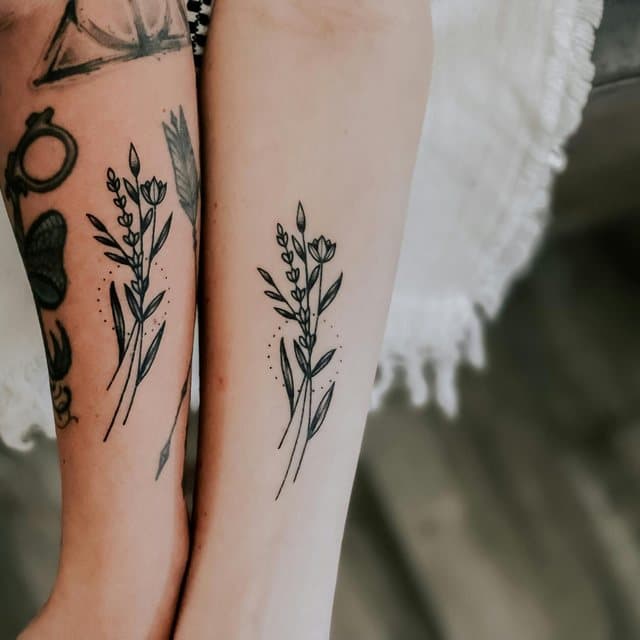
Fine-line wildflowers running down my forearm, black ink only.
Placement
Left forearm
Size
Medium · 4–6 in
Reference Images
Attach a Scheduling LinkPick a Session DateAttach Waiver
You're the artist, the front desk and the books.
One link for your bio.
Clients book from your InkDesk page, not your DMs.
Every detail up front.
Your form collects references, placement and size before you reply.
Fewer no-shows.
Deposits lock in the date, and reminders go out on their own.
Your shop in your pocket.
Reply, schedule and see new requests from the iPhone and Android app.
How a solo artist runs on InkDesk.
Your page
A booking page worth the link in your bio.
Your InkDesk page shows your work, your FAQs and a clear way to book, with a waitlist for when your books are closed. Clients request a spot there instead of in your DMs.
MR
Maya Reyes
Fine line & botanical
inkde.sk/mayareyes
Booking FormWaitlistFAQ
Requests
Every request arrives ready to quote.
Your booking form asks for the idea, reference images, placement and size before you reply. Already have a form? Paste the link and InkDesk copies your questions over.
Attach a scheduling link that allows clients to pick dates for selected sessions.
Select Sessions
0 of 1 selected
Session #1
1 hour 45 minutesDefault Availability
Preview as ClientRequire deposit to schedule
Expire schedule linkEnabled:
CancelAttach Scheduling Link
Reminders
The follow-ups send themselves.
Reminders go out before the session, waivers get signed on the client's phone, and aftercare follows after. Set them once and they run for every client.
The InkDesk app for iPhone and Android brings your inbox, calendar and bookings with you between sessions. New requests and messages arrive as notifications.
“InkDesk has been a game changer for my client organization and scheduling needs! The automation features have been incredibly useful in sending reminders to my clients and I am so happy with my overall experience. 10/10!”
Christine Pexin
Tattoo Artist
@christinepexin
“InkDesk makes my life easier and most importantly saves time. The sorting features are super helpful in organizing clients and getting them on my calendar.”
Jack Graff
Tattoo Artist, Studio Owner
@808byjack
“It saves me a lot of time so I can focus on quality tattoos instead.”
Dominika Janowczyk
Tattoo Artist
“InkDesk saves me about 50 hours a year — that’s $12,500 in time I used to lose to admin.”
Asher Chen
Featured story
Founder of Boo Radley, Mockingbird Tattoos, & Naughty Comrade
“InkDesk has refined my client communication and scheduling process to one platform! I find myself with more time and energy to focus on tattooing. Would recommend to all my artist friends!”
“InkDesk has allowed me to book my clients a lot more efficiently, especially with the automated emails and booking features! I went from using 2 separate apps to now just using 1, all thanks to InkDesk.”
“I love InkDesk, my clients love it too. It makes it easy for them to request an appointment, send reference images and communicate without wondering if I’ll see the message.”
“Whether I'm at my shop, doing a guest spot, or booking for a convention it makes my life simpler than when I was using Instagram and emails. There's way less chaos in my life!”
“InkDesk has transformed dozens of direct messages into 2-3 clear and concise communications. It saves me loads of time and is a great way to prevent any confusion in your schedule.”
Tattoo booking software for solo artists is a platform for independent tattoo artists who run their own clients, bookings and schedule without a front desk.
It replaces the patchwork of DMs, spreadsheets and calendar apps with one system: a booking page and custom forms, online scheduling, deposits, digital waivers, automated reminders and a client project for every tattoo, all for a flat monthly fee.
Tools like InkDesk let you share one booking link on Instagram while the platform handles the admin, so you can spend more time tattooing.
Is InkDesk built for solo artists or studios?
Both. Solo artists get everything they need to run their own books: a booking page, custom forms, scheduling, deposits, waivers, messaging and automated reminders. Growing into a team? InkDesk for studios adds a studio booking page, artist assignment, Team Day and deposit splits.
How quickly can I set up InkDesk?
Most solo artists are set up in under 15 minutes. Add your availability, build your booking form or import the one you already use, and connect Google Calendar. You can take requests the same day.
Do I need a separate calendar app?
No. InkDesk has its own calendar built for tattoo sessions. Manage everything in the app, or turn on two-way Google Calendar sync so your personal and shop schedules stay in step with no double bookings.
Does InkDesk handle deposits?
Yes. Ask for a deposit with your quote or your scheduling link, and you can require it before a date locks in. InkDesk takes no fee on deposits: you keep the full amount, minus your payment processor's standard rate.
What if I already use Instagram or email for bookings?
Keep them. Put your InkDesk booking link in your Instagram bio and DMs so requests come in through your form. Connect Instagram and WhatsApp too, and those messages land in your InkDesk inbox next to email, saved with each client’s project, references and waivers.
What's the best booking app for independent tattoo artists?
The best booking app for independent tattoo artists is one built for how solo artists actually work: running their own clients, schedule and bookings without a front desk or studio team.
Generic scheduling apps rely on fixed time slots and simple bookings. They don't support tattoo-specific needs like custom intake forms for reference images and placement, artist-controlled session lengths, deposits, digital waivers or aftercare follow-ups.
InkDesk is built for independent tattoo artists, with a booking page for your bio, custom forms that collect every detail up front, deposits, automated reminders and a client project for every tattoo. You stay in control of your schedule and spend more time tattooing instead of on admin.
Is there a mobile app?
Yes. The InkDesk app for iPhone and Android lets you reply to clients, check your calendar and see new requests as they come in, between sessions or on the go. It comes with your plan.
Can I bring my current booking form?
Yes. When you set up, paste a link to the form or website you use now, and InkDesk imports your questions automatically. You can tweak the wording, reorder questions or add options any time.